
How to create a telephone befriending match
Updated 10 months ago
Browse All
A telephone befriending match pairs a caller (typically a volunteer) with a recipient (a service user) for regular one-on-one phone calls. The match uses a shared telephone number so neither party reveals their personal number.
Prerequisites
- You have a Togetherly account with the Telephone Befriending feature enabled
- You have added contacts for both the caller and recipient
Steps
Open the Befriending page
Click Befriending in the navigation bar to view your existing matches.
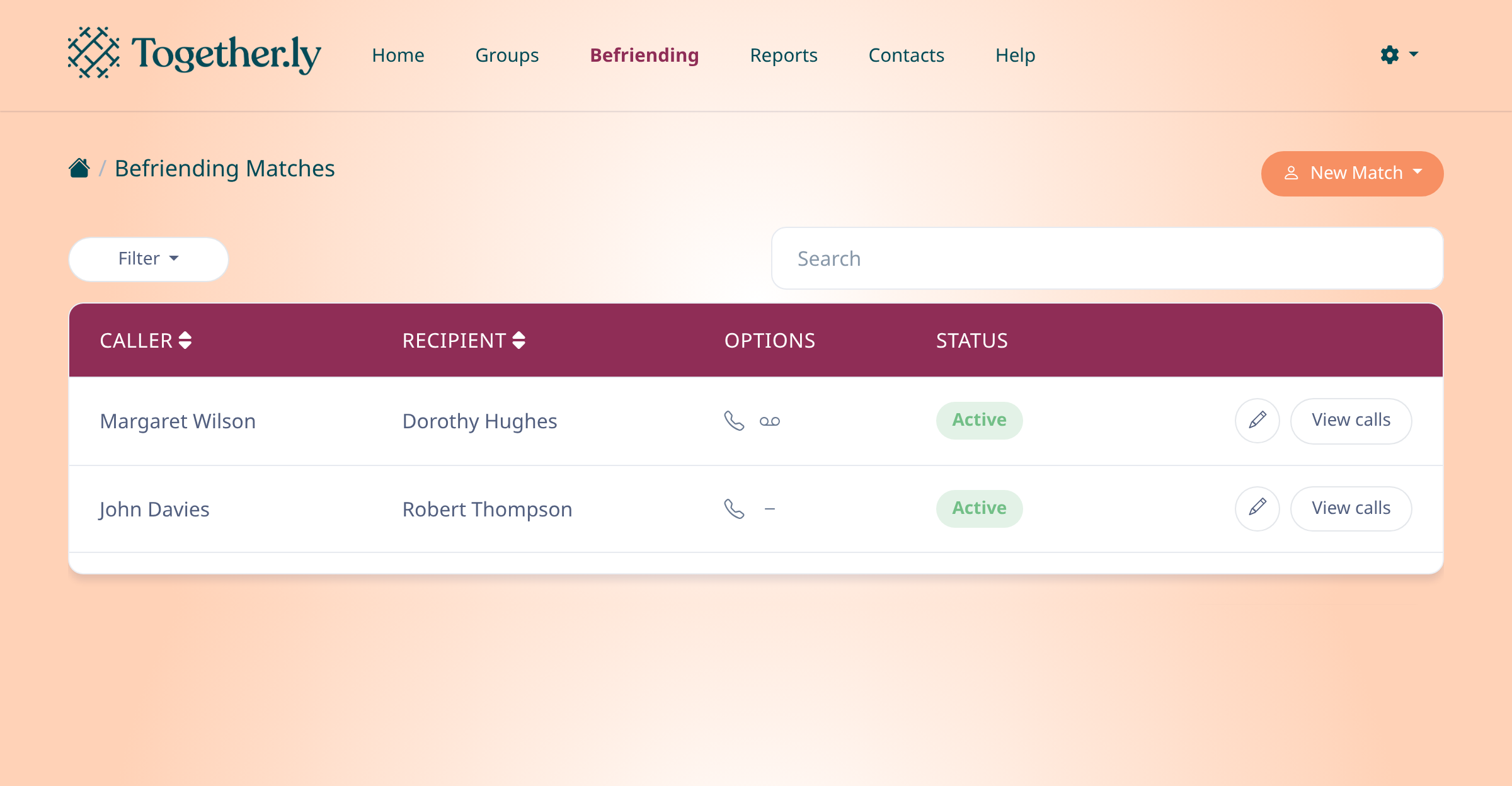
Start creating a new match
Click New Match and select Telephone match from the dropdown menu.
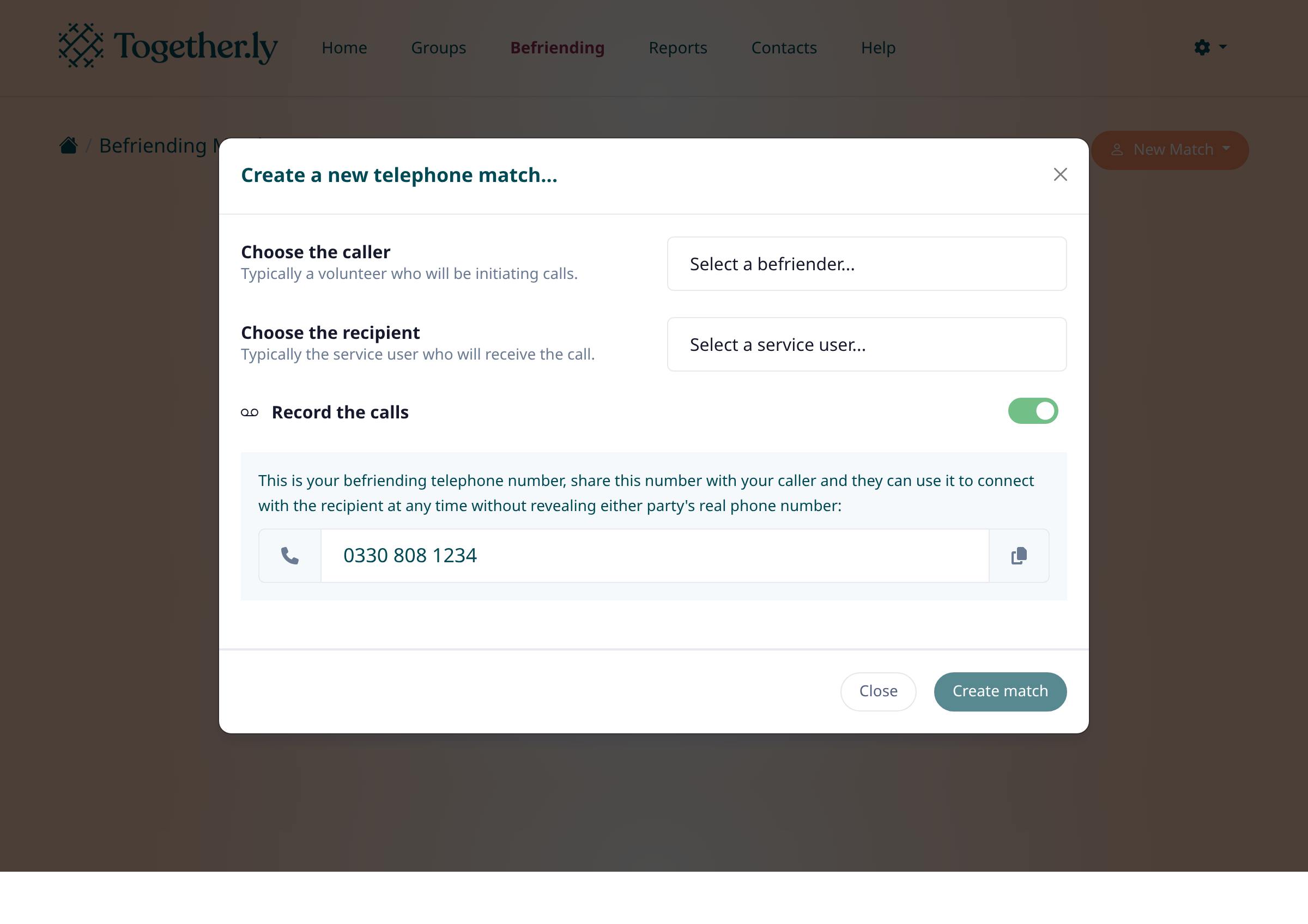
Choose the caller and recipient
In the modal that appears, select a caller (the person who will initiate calls) and a recipient (the person receiving calls). Toggle Record the calls if you want calls to be recorded for safeguarding.
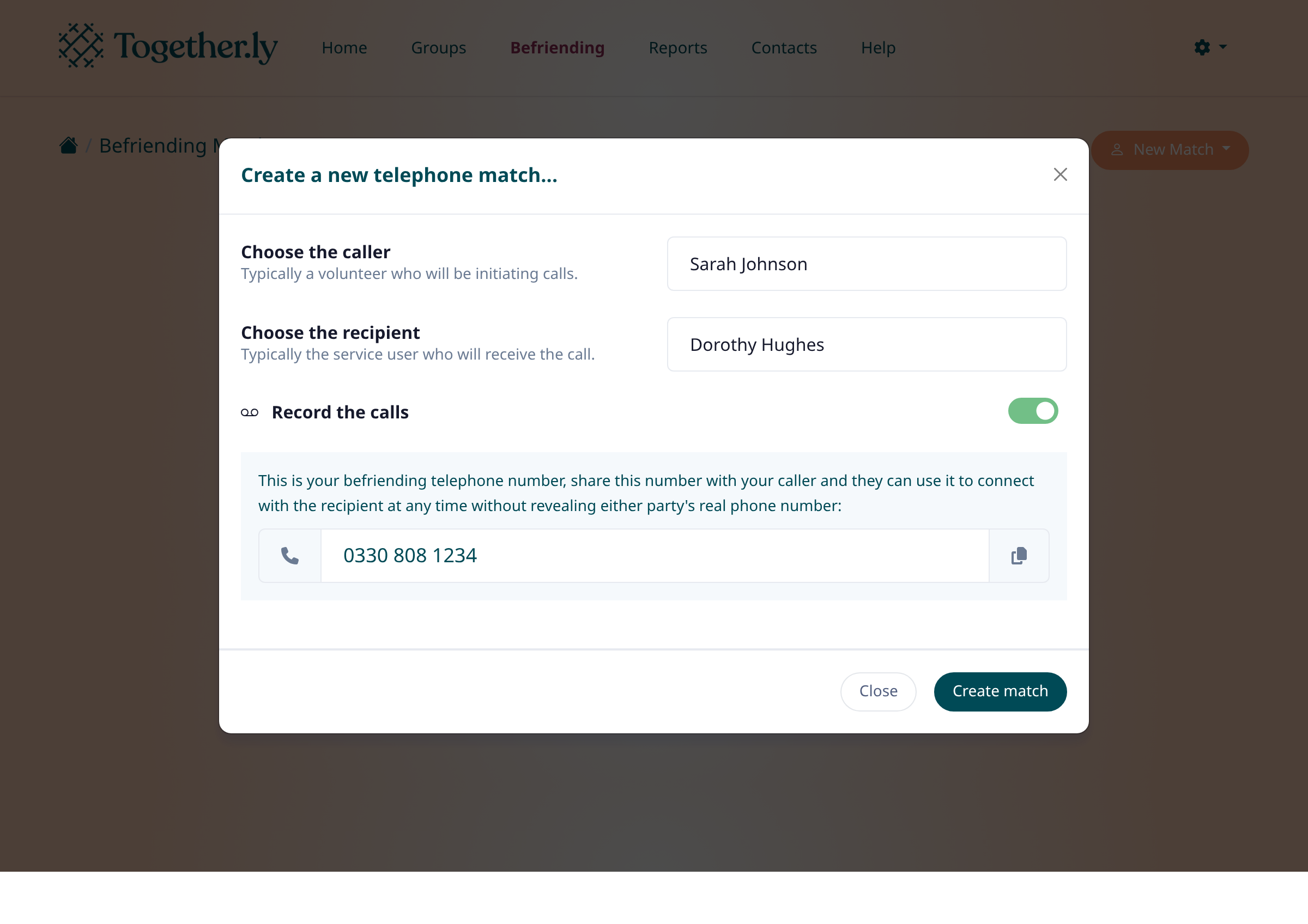
Save the match
Click Create match to save. The shared befriending telephone number is shown in the modal — share this with the caller so they can start making calls.
Tips
- The befriending number keeps both parties' personal numbers private
- You can edit or deactivate a match at any time by clicking the pencil icon next to it
Summary
Your new telephone befriending match is now active. The caller can use the shared number to connect with the recipient whenever they like.
Was this article helpful?
Kept in sync by supportpages.io — continuous documentation for your product.
Have a question?
Search our articles, or ask and get an answer straight away.