How to access your invoices
Updated about 7 hours ago
Browse All
Your invoices live in Togetherly's billing portal. If you're an account administrator, you can open it in a couple of clicks and keep a copy of every invoice for your records.
Before you start
- You're signed in to Togetherly.
- You're an administrator for the account — Billing only appears in the Admin menu for administrators.
Steps
Open the billing portal
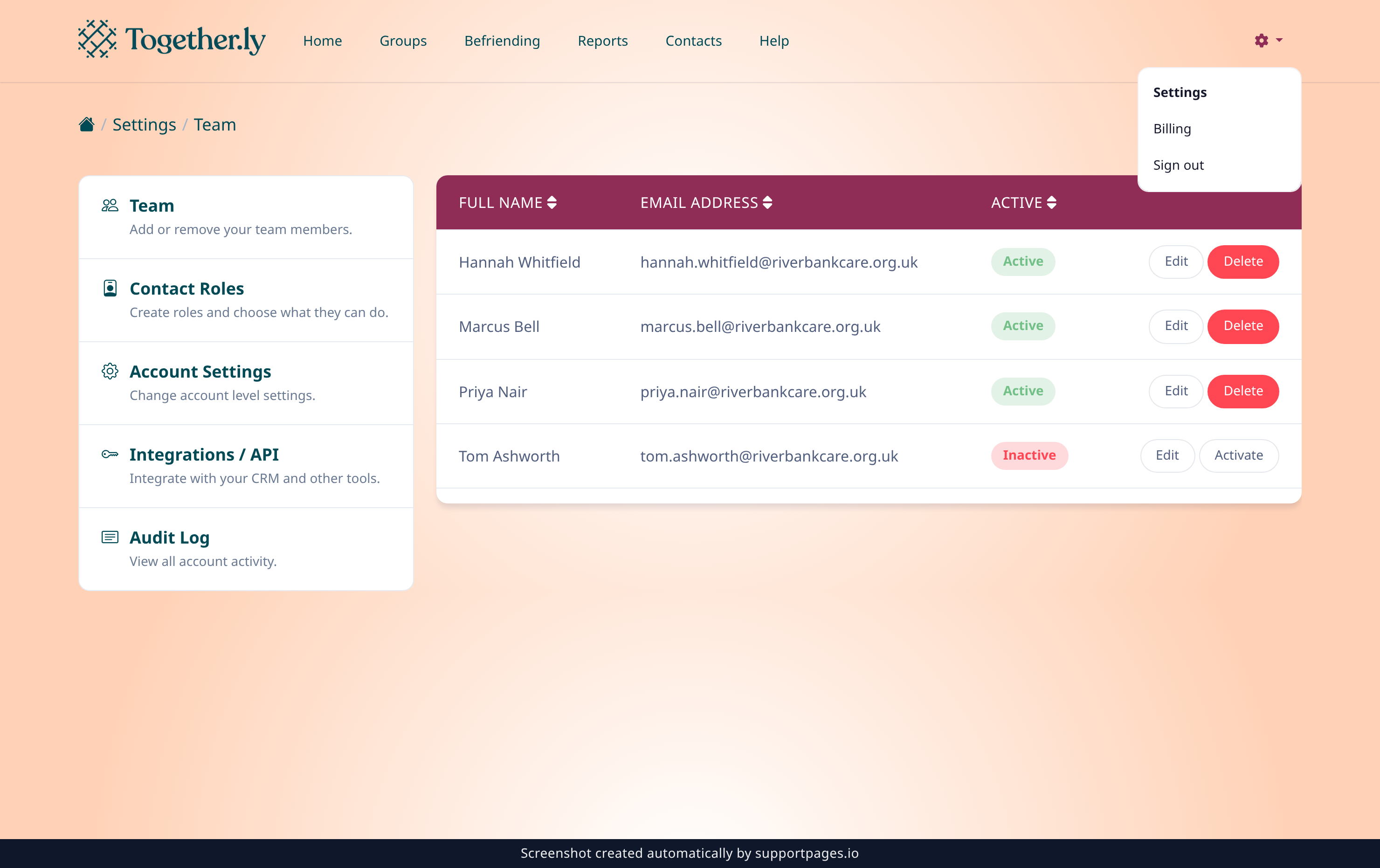
Click the Admin menu cog in the top right of any page, then choose Billing. The portal opens in a new tab, already signed in to your account.
Find your invoice history
The portal lists every invoice on your account, newest first, with its date and amount. Each one comes with a PDF you can keep for your records.
Good to know
- Only account administrators see Billing. If it's missing from your Admin menu, ask an admin on your team to open the portal for you.
- Invoices go to the billing email address held on your account, so it's worth keeping that up to date.
- If an invoice you need isn't in the portal, contact the Togetherly team and they'll help you track it down.
Summary
The Admin menu takes you straight to the billing portal, where your invoice history and a PDF copy of each invoice are waiting.
Was this article helpful?
Created with supportpages.io — AI help centre software.
Have a question?
Search our articles, or ask and get an answer straight away.